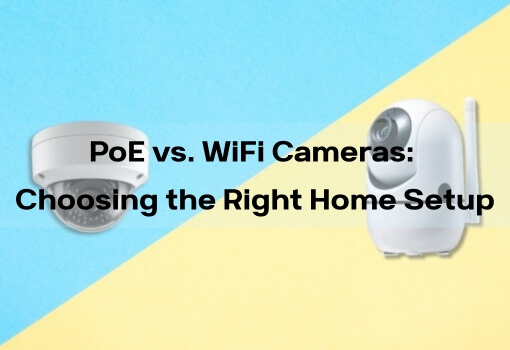
Wired vs. Wireless Security Cameras: Which One to Choose
Choosing a security camera system is a practical step toward protecting a home or property. Most break-ins are opportunistic, and visible cameras help reduce risk by increasing awareness and deterrence.
One of the first decisions when planning a setup is whether to use wired or wireless security cameras. Each option fits different environments and constraints. This guide explains the differences clearly and helps you choose based on installation limits, space layout, and daily monitoring needs.
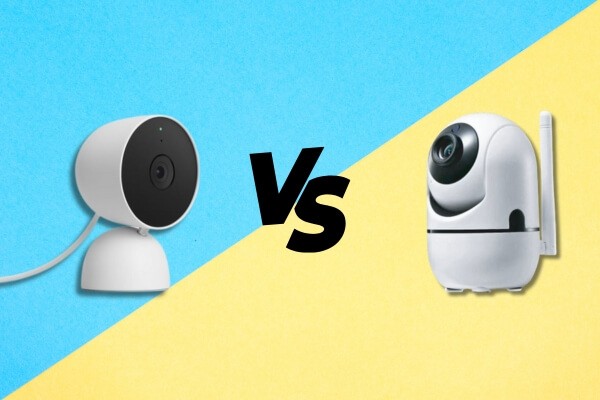
Wired vs. Wireless Security Cameras: What Actually Sets Them Apart
The table below outlines the key differences between wired and wireless security cameras.
| Comparison Area | Wired Security Cameras | Wireless Security Cameras |
|---|---|---|
| Connection & Power | Powered and connected through a single Ethernet cable (PoE). | Video over Wi-Fi; power from an outlet or internal battery. |
| Installation Complexity | Higher. Cable routing is required and may need professional installation. | Low. Battery models often require no cable routing. |
| Reliability | Very high. Physical connections avoid signal interference. | Dependent on Wi-Fi strength and network stability. |
| Flexibility | Low. Placement is fixed once cables are installed. | High. Easy to reposition within Wi-Fi coverage. |
| Maintenance | Minimal. No batteries to manage. | Battery models require periodic charging. |
| Typical Use Cases | Permanent installations, businesses, fixed entry points. | Indoor home use, apartments, rentals, temporary monitoring. |
How Wired and Wireless Cameras Perform in Real-World Use
Video Quality and Reliability
Wired security cameras provide consistent video transmission and support higher resolutions without bandwidth limits. They are well suited for continuous recording where long-term stability is required.
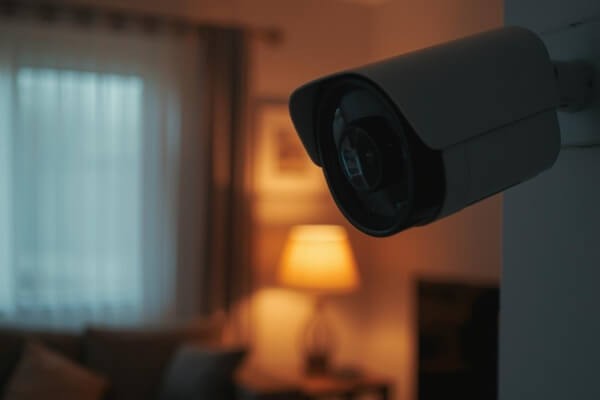
Wireless cameras depend on available network bandwidth. Many models use event-based recording to reduce data use and power consumption. For indoor home monitoring, 2MP or 3MP resolution is usually sufficient to clearly identify people and everyday activity.
Power and Battery Life
Wired cameras receive constant power and operate without interruption.
Wireless cameras generally fall into two categories:
- Plug-in Wi-Fi cameras, limited by outlet placement
- Battery-powered cameras, offering flexible placement but requiring battery management
Indoor wireless cameras often use AI-based human detection to limit unnecessary recordings. This helps extend battery life, allowing many models to operate for months between charges under typical indoor conditions.
Video Storage and Data Control
Wired systems usually store footage on a local NVR, providing large storage capacity and direct control over recorded data.
Wireless cameras commonly support:
- Local SD card storage, often up to 128GB on indoor models
- Optional cloud storage, depending on user preference
From a security perspective, wired cameras benefit from physical isolation. Wireless cameras rely on proper network protection. Strong passwords, WPA2 or WPA3 encryption, and regular firmware updates significantly reduce risk.
Smart Features That Matter for Indoor Monitoring
Both wired and wireless cameras typically support night vision, motion alerts, and two-way audio.

Wireless indoor security cameras often focus on features that simplify daily monitoring, including:
- AI human detection to reduce false alerts
- Pan-and-tilt control for wider coverage without moving the camera
- Mobile app access for live view, playback, and notifications
For indoor environments, these features allow effective monitoring without adding system complexity.
Wired vs. Wireless Cameras: Pros and Trade-Offs
Wired Security Cameras
Advantages
- Stable, interference-free connections
- Higher ceiling for video quality
- Strong data security through local storage
- No routine battery maintenance
- Suitable for continuous recording
Limitations
- More complex installation and higher upfront effort
- Fixed placement after installation
- Visible cabling may affect aesthetics
- Power outages require backup solutions such as a UPS
Wireless Security Cameras
Advantages
- Simple installation with minimal tools
- Flexible placement using mounts or magnetic bases
- Remote access through mobile apps
- Compact designs suited for indoor spaces
Limitations
- Performance depends on Wi-Fi quality
- Battery-powered models require periodic charging
- Wireless interference can affect stability in crowded networks
How to Decide Which Security Camera Fits Your Home
Consider the following questions to narrow your choice.
What is your primary use case?
- Commercial spaces, permanent entry points, or high-security areas Wired cameras are usually more suitable.
- Indoor home monitoring, apartments, rentals, or family care Wireless indoor security cameras are often easier to manage.
How much installation work are you willing to handle?
If you prefer a setup completed quickly without drilling or cable routing, wireless cameras offer a simpler approach.
Do you need flexibility?
If camera placement may change or if you plan to move, wireless cameras provide clear advantages. Pan-and-tilt models help reduce blind spots without repositioning hardware.
How strong is your home network?
Reliable Wi-Fi coverage supports smooth wireless camera performance. In weaker environments, 2.4GHz or dual-band Wi-Fi cameras tend to maintain more stable connections.
For many households starting with indoor monitoring, wireless home cameras provide sufficient clarity, smart detection, and remote access without the complexity of wired systems.
FAQ
Are wireless security cameras easy to hack?
Wireless cameras are generally secure when strong passwords, WPA2 or WPA3 encryption, and regular firmware updates are used. Systems connected to properly secured home networks face low risk in typical residential environments.
How long does a wireless camera battery last?
Battery life depends on activity levels and recording settings. In typical indoor use, cameras with AI human detection and event-based recording often last several months per charge.
Do wireless cameras use a lot of internet bandwidth?
Bandwidth is mainly used when uploading motion clips or accessing live view remotely. When recordings are stored locally on an SD card, overall internet usage remains low.
Can wired and wireless cameras be used together?
Some systems support mixed setups, especially in larger or commercial installations. For most homes, managing a single type of system is simpler and more practical.
What are the disadvantages of wireless security cameras?
Wireless cameras depend on Wi-Fi quality and may require battery charging. Performance can vary in areas with weak signals or heavy wireless interference.
Which is better: wired or wireless security cameras?
Neither option is universally better. Wired cameras emphasize reliability and continuous recording. Wireless cameras prioritize flexibility and ease of installation. The right choice depends on the environment and monitoring needs.
Making the Right Choice for Your Home Security
Wired and wireless security cameras address different priorities. Wired systems focus on long-term stability and performance. Wireless systems emphasize convenience, flexibility, and ease of use.
For apartments, rental homes, and general indoor monitoring, wireless indoor security cameras are often a practical starting point. They provide clear video, smart detection, and remote access without complex installation.
By understanding how each option works, you can choose a security setup that fits your space and monitoring goals with confidence.