HD Security Cameras: 1080p vs 4MP vs 5MP vs 4K, What’s the Best Choice in 2026
What Resolution Should You Choose in 2026
For most homes and apartments, 1080p (2MP) or 3MP cameras are the most practical choice. They provide clear video for daily monitoring while keeping storage and bandwidth manageable.
Choose higher resolutions only when needed.
- 4MP or 5MP – better for longer distances or wider rooms
- 4K (8MP) – useful for large outdoor areas or detailed zoom after recording
If you are setting up an indoor system, a 2MP or 3MP WiFi camera is usually enough. This type of setup is commonly used in RusinVision home monitoring solutions, where stable performance matters more than maximum resolution.
What Do 1080p, 4MP, 5MP, and 4K Really Mean
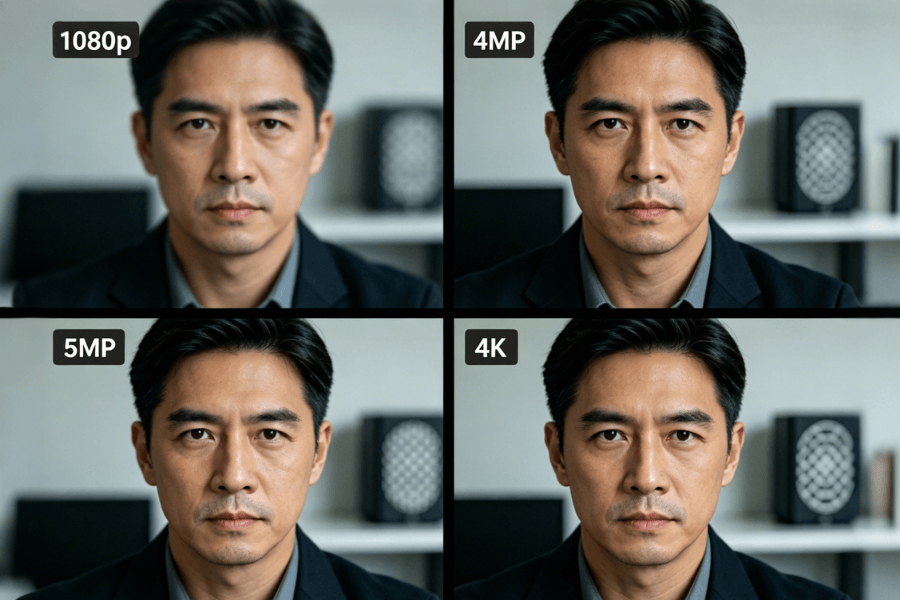
Security camera resolution refers to how many pixels are captured in each frame. More pixels allow you to see finer details, especially when zooming into recorded footage.
- 1080p (2MP) – 1920 × 1080
- 4MP (1440p) – 2560 × 1440
- 5MP – 2560 × 1920
- 4K (8MP) – 3840 × 2160
4K has about four times more pixels than 1080p, while 5MP provides roughly two and a half times more detail. Higher resolution mainly improves zoom performance and detail at distance.
For indoor use, a well-placed 1080p or 3MP camera can already deliver clear results without increasing system load.
How Much Detail Do You Actually Need for Clear Identification
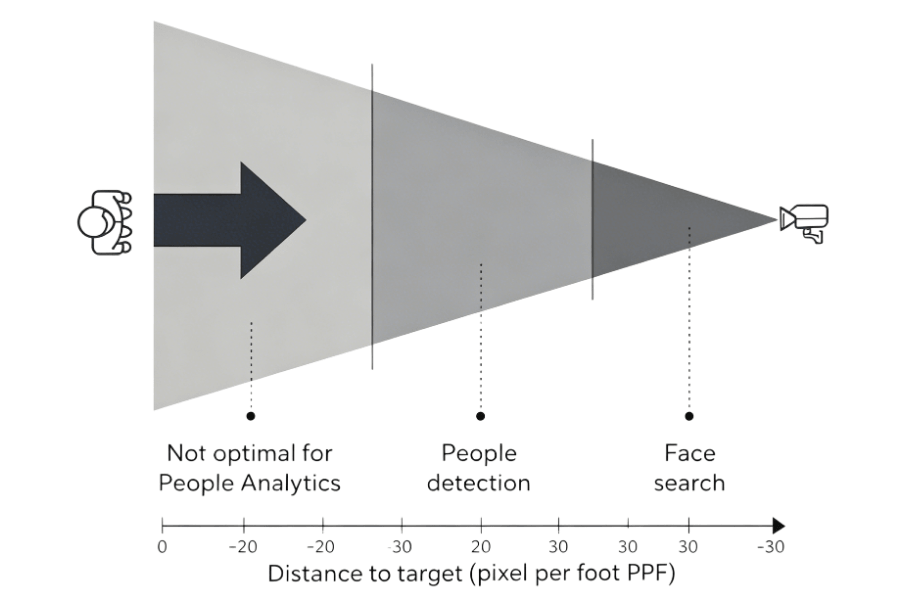
Resolution alone does not determine whether a camera can identify a person or license plate. What matters is pixel density at a distance, measured as PPF.
PPF equals horizontal pixels divided by distance in feet. A value of 40 PPF is generally required for reliable identification.
At 40 feet, 1080p delivers about 48 PPF, 4MP about 64 PPF, and 4K about 96 PPF.
To estimate your needs, measure the distance between the camera and the target area, then divide the resolution width by that distance.
In most homes, cameras are installed within 15 to 25 feet. In this range, 1080p already provides sufficient detail, and higher resolutions may not bring noticeable benefits.
1080p vs 4MP vs 5MP vs 4K – Quick Comparison
| Resolution | Best For | Distance | Advantages | Limitations |
|---|---|---|---|---|
| 1080p | Indoor rooms | <25 ft | Low storage, stable streaming | Limited detail at distance |
| 4MP | Medium spaces | 20–40 ft | Sharper image, better zoom | Higher bandwidth |
| 5MP | Wide indoor areas | 20–40 ft | Extra detail over 4MP | Slightly higher cost |
| 4K | Outdoor or large areas | >40 ft | Maximum detail, strong zoom | High storage and network demand |
Which Resolution Works Best for Each Situation
Living Room or Bedroom
1080p or 3MP is recommended for short distances and controlled lighting. These resolutions are sufficient for identifying faces and general activity.
A compact indoor camera with pan and tilt can cover the entire room without increasing resolution. This type of setup is commonly used in RusinVision indoor systems.
Hallways or Open Indoor Spaces
4MP or 5MP is more suitable for longer viewing distances. These resolutions provide clearer detail across wider areas without requiring extreme bandwidth.
Outdoor Areas or Parking Spaces
4K is useful for long-distance monitoring or situations where you may need to zoom in on details such as license plates.
Please note that 4K systems require stronger network performance and larger storage capacity.
Mixed Setup Approach
Instead of using one resolution everywhere, it is often more effective to combine them.
Use higher resolution cameras at entry points and lower resolution cameras for general monitoring. This approach balances performance, cost, and system complexity.
Why Resolution Alone Does Not Guarantee Better Image Quality
Resolution is only one factor in image quality. Cameras with the same resolution can perform very differently.
Important factors include sensor size, lens quality, night vision capability, dynamic range, and image processing.
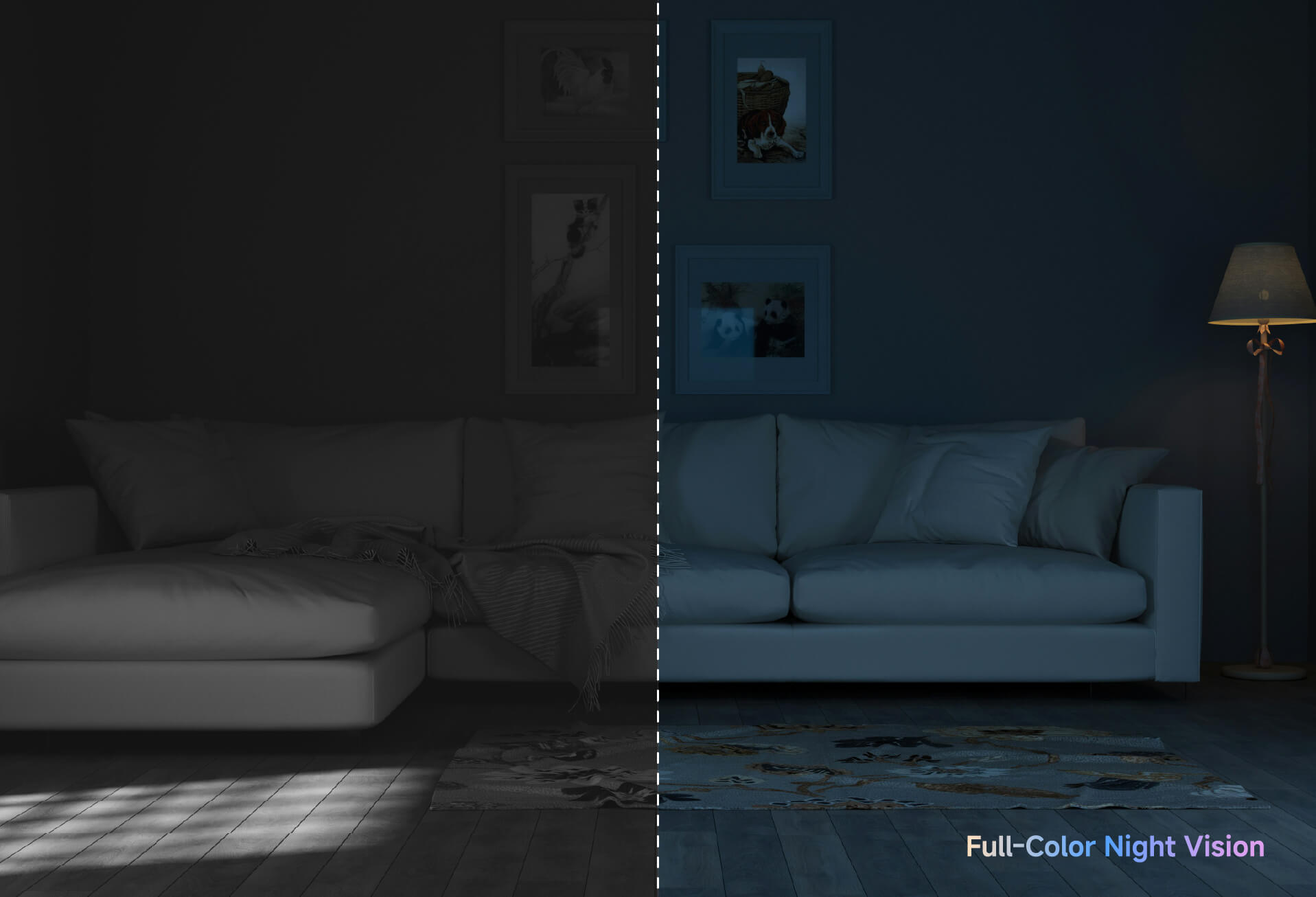
In low-light environments, a camera with strong night vision can produce clearer footage than a higher-resolution camera without proper low-light support.
How Resolution Affects Storage and Network Usage
Higher resolution increases both storage usage and bandwidth requirements.
1080p video typically uses 25 to 50 GB per day, while 4MP uses around 50 to 75 GB. 4K can require 100 to 150 GB per day depending on settings.
Bandwidth also increases with resolution. 1080p usually requires 2 to 4 Mbps, while 4K may need 8 to 12 Mbps per camera.
Before choosing a higher resolution, check your network capacity and storage limits. Using local storage and efficient compression can help reduce system load.
What Resolution Can Wireless Cameras Actually Support
Battery-Powered Cameras
Battery-powered cameras are usually limited to 1080p. They are designed for low power consumption and flexible placement but cannot support higher resolutions reliably.
Plug-in WiFi Cameras
Plug-in WiFi cameras can support 1080p, 3MP, or higher resolutions. They provide more stable performance and are better suited for continuous indoor monitoring.
For most homes, a plug-in WiFi camera with 1080p or 3MP offers a reliable balance between clarity and performance.
Common Mistakes When Choosing Camera Resolution
Assuming higher resolution always improves results can lead to unnecessary cost. Resolution only helps when distance and lighting conditions require it.
Ignoring night performance is another common issue. In many cases, low-light capability has a greater impact on image quality than resolution.
Overloading your network with multiple high-resolution cameras can reduce system stability. Proper planning is important before upgrading.
Using one camera to cover a large area may reduce effectiveness. Camera placement often matters more than resolution alone.
What’s New in Security Cameras in 2026
Security camera technology continues to improve, but the basic selection principles remain the same.
AI detection is now standard and helps reduce false alerts. Multi-lens cameras provide wider coverage without relying on higher resolution. H.265 compression improves storage efficiency, and WiFi performance has improved, though it still limits multi-camera 4K setups.
These developments make 1080p and 3MP systems more practical for most homes.
FAQ
Do I need 4K cameras for my home?
No. Most homes do not require 4K cameras. For indoor spaces or areas within 20 to 30 feet, 1080p or 3MP provides enough detail for daily monitoring. 4K is more suitable for large outdoor areas or situations where you need to zoom in on distant objects after recording.
How much storage does 4K video use?
4K video typically uses two to four times more storage than 1080p, depending on compression and recording settings. If you plan to store footage locally, you may need larger storage devices or shorter retention periods to manage capacity effectively.
Can WiFi cameras support 4K resolution?
Some plug-in WiFi cameras can support 4K resolution, but performance depends on network stability and bandwidth. In many homes, multiple 4K streams can cause lag or buffering. Battery-powered cameras usually do not support 4K due to power and transmission limitations.
Is night vision more important than resolution?
Yes. In low-light conditions, night vision performance often has a greater impact than resolution. A camera with good infrared or full-color night capability can produce clearer footage than a higher-resolution model that struggles in dark environments.
Can I mix different resolutions in one system?
Yes. Many systems use a combination of resolutions to balance performance and cost. For example, higher-resolution cameras can be placed at entry points, while 1080p cameras handle general monitoring areas. This approach improves efficiency without increasing system complexity.
Do I need a pan and tilt camera?
A pan and tilt camera is useful if you want flexible viewing without installing multiple devices. It allows you to adjust the camera angle remotely and cover a wider area, making it suitable for indoor spaces such as living rooms, nurseries, or pet monitoring setups.
How to Choose the Right Camera for Your Home
Start by measuring the distance between the camera and the monitored area. Then consider whether you need night monitoring, remote viewing control, and motion detection features.
For most users, a practical setup includes 1080p or 3MP resolution, WiFi connectivity, pan and tilt coverage, AI human detection, and local storage support.
A suitable option is a simple indoor camera system that balances clarity, stability, and ease of use. This type of configuration is commonly used in RusinVision home monitoring systems and works well for everyday security needs without unnecessary complexity.